
Un-Banished 0.3.0 · 20 October 2026
Neighbours
Banished was always a quiet game for one: a handful of families, a long winter, and you. In Un-Banished 0.3.0 your town can have neighbours. Several players can now build one town together, each on their own computer, or in a browser. And the single-player game is still exactly the game it was.
One town, many hands
Open Multiplayer on the main menu. One player hosts a room and gets a short code; the others type the code and join. The host picks a save, and everybody's game loads the same town. From then on, every player can build, clear, give orders, change the speed and pause, and everybody sees it happen.
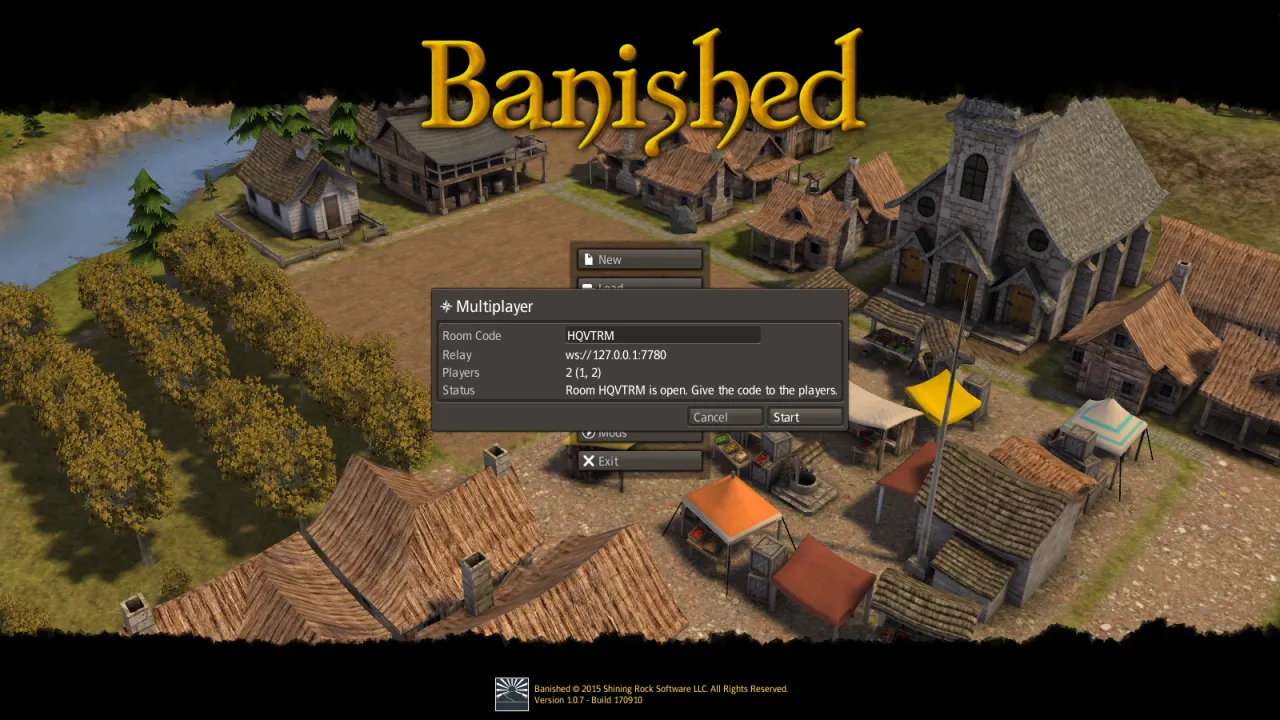
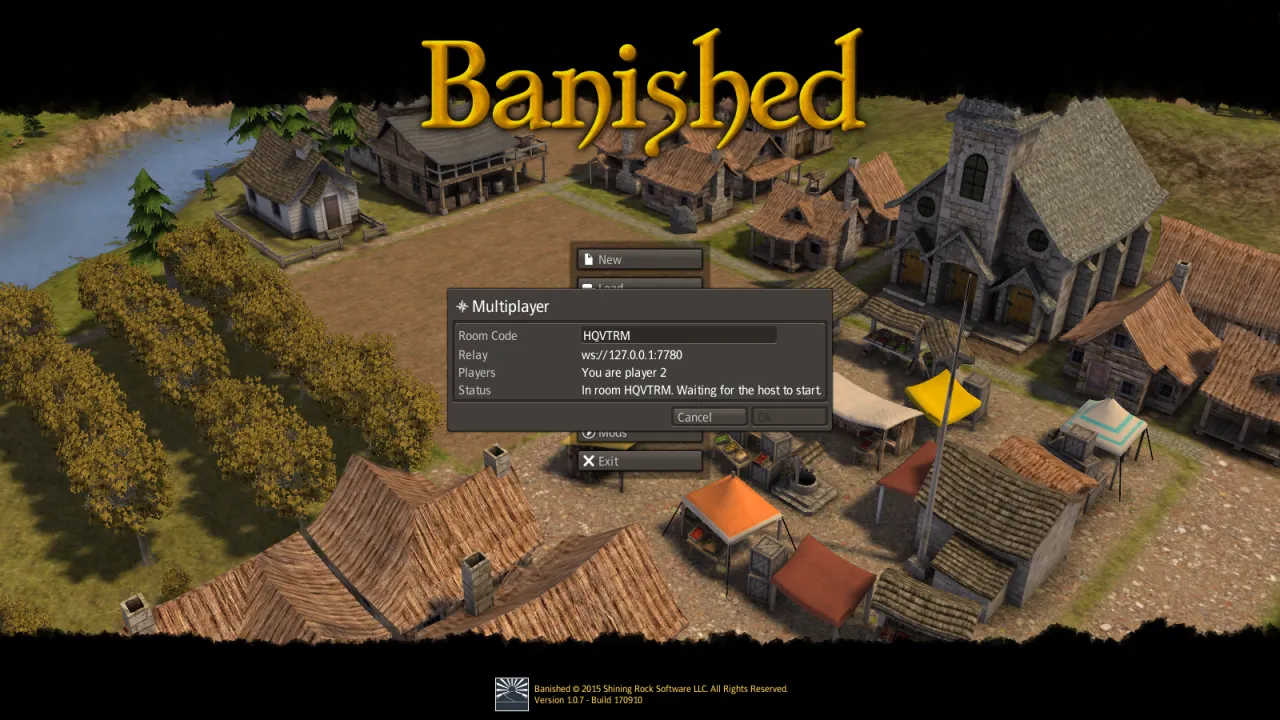
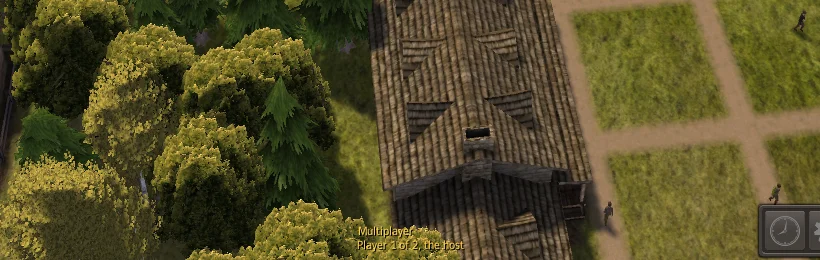
In the game, a line at the foot of the screen says which player you are. When the game waits for a slower computer, it names the player, and you can still move the camera and use the windows meanwhile.
Behind the scenes, nobody sends the town. A town of a thousand citizens changes thousands of times a second, far too much to send over the internet. So the computers send each other only what the players do: "place a house here", "two more farmers", "faster". Every computer runs the whole town itself, and because Un-Banished computes the game exactly, to the last bit, every computer arrives at the same town. Even a desktop and a browser do.
If anything ever makes one town differ, the game notices: the players compare a short fingerprint of their towns about every ten seconds. If one differs, everybody loads the host's town and plays on from there, in step again. If a player leaves, the others carry on.
Every player needs their own copy of Banished, the same mods and the same version of Un-Banished. The relay that connects the players comes with the game: one player, or a small server, runs it. The Multiplayer guide explains every step, from running the relay to playing over the internet.
Mods from banishedinfo.com
Banished has had a modding community for ten years, and many of its mods live on banishedinfo.com. On the desktop, the game's Mods menu now has a Browse tab for it, next to the one for Nexus Mods. You can search, read about a mod, see its picture and install it, in the game, in the mod manager or from the command line.
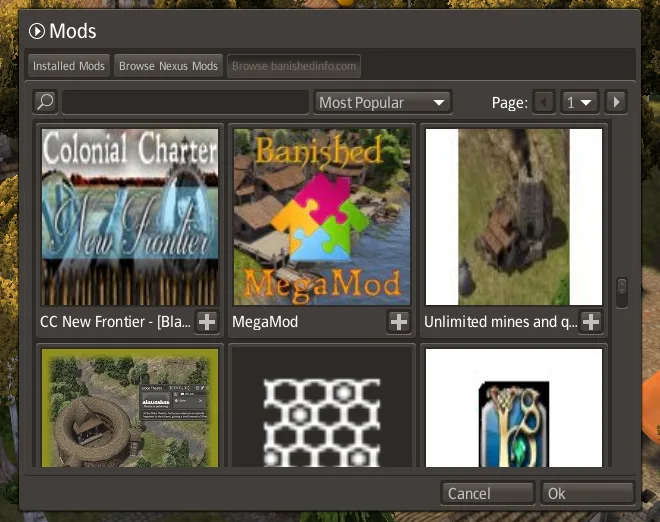
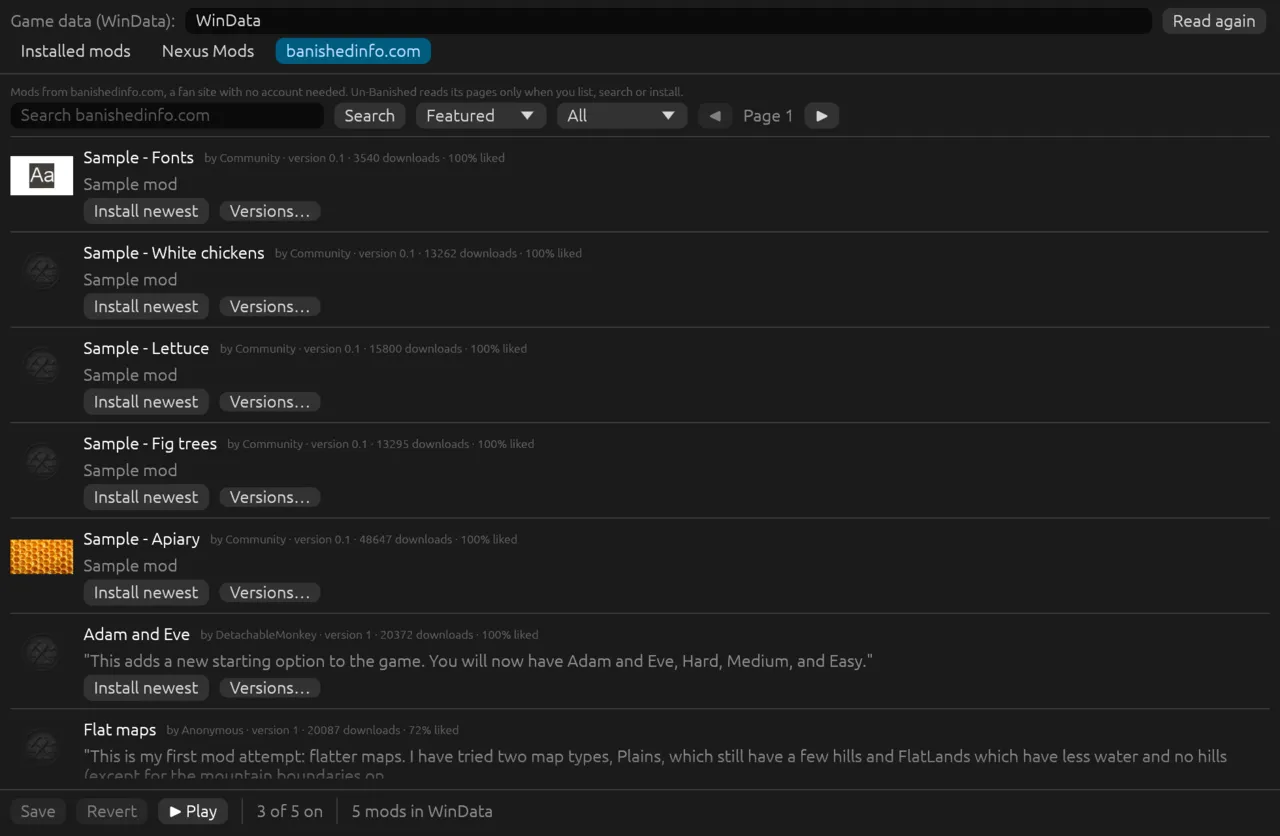
No account is needed to browse or install from banishedinfo.com. The site does not allow other web pages to read it, so this tab is on the desktop only; the browser version keeps the Nexus Mods tab.
The browser version grows up
The browser version now behaves more like a real app:
- Install it. Chrome and Edge offer to install Un-Banished. It then opens in its own window and starts without an internet connection. Your game files, saves and mods stay in the browser.
- Full screen from the game's Options, and from the Play page's Full screen button.
- Resolution and frame rate. Draw the 3D world at 100, 75 or 50 % of the page, and limit the frame rate to between 30 and 120 per second. Slow laptops, tablets and phones run more smoothly; the menus stay sharp.
- Sharper text on 4K screens and tablets, where letters used to fall between pixels.
Films of your town
Every video on this website was filmed by Un-Banished itself, with no window open: the game runs, a script moves the camera, and each frame becomes part of a film. Now those films can have a look of their own. The video tool has three colour filters: sepia, grey and psychedelic, which turns every colour slowly around the colour wheel.
The filters suit the new camera shots. A flight down the river in sepia looks like an old photograph come to life; the trader rowing home in grey looks like a scene from an old film.
To make your own, add the filter's name to the video tool: for example FILTER=sepia tools/videos.sh "save-game/Save 47.sav" river-flight. Recording videos explains how to film your own town.
What is next
Next we want to look at how people and boats move past each other: in Banished they walk through one another, and boats sail through bridge supports. That is how the original works, so any change will go to a community vote first.
Also in 0.3.0
- The first tutorial no longer stops at its first house: clicking the Housing menu now counts, so the Wood House can be built.
- Faster windows: each window's layout is worked out once a frame instead of again and again; the Mods window went from 70 ms to 7 ms a frame.
- Mod pictures show in the Browse tabs and the mod manager, for both mod sites.
- The mod sites' Browse tabs show by default, with no settings needed to search.
- Recordings and replays of a game's commands, and checks that the desktop and the browser compute the same town, for the people who work on Un-Banished.
All changes: Changelog, version 0.3.0 · Earlier: Boomtown, 0.2.0