
Mods
Un-Banished loads mods made with the BanishedKit (.pkm files), as Banished 1.0.7 does.
- Desktop: put the
.pkmfiles in theWinDatafolder that Un-Banished reads. Then open Mods in the main menu, select the mods you want, set their order, and press OK. The game loads its data again, with the mods. - Browser: select the
.pkmfiles together with the four.pkgfiles. You can also drag them onto the page at any time. Then turn them on in the Mods menu. The browser keeps them in its storage.
As in the original, the Mods menu marks two mods as conflicting when they change the same files. Also as in the original, you cannot earn achievements while mods are turned on.
The mod manager
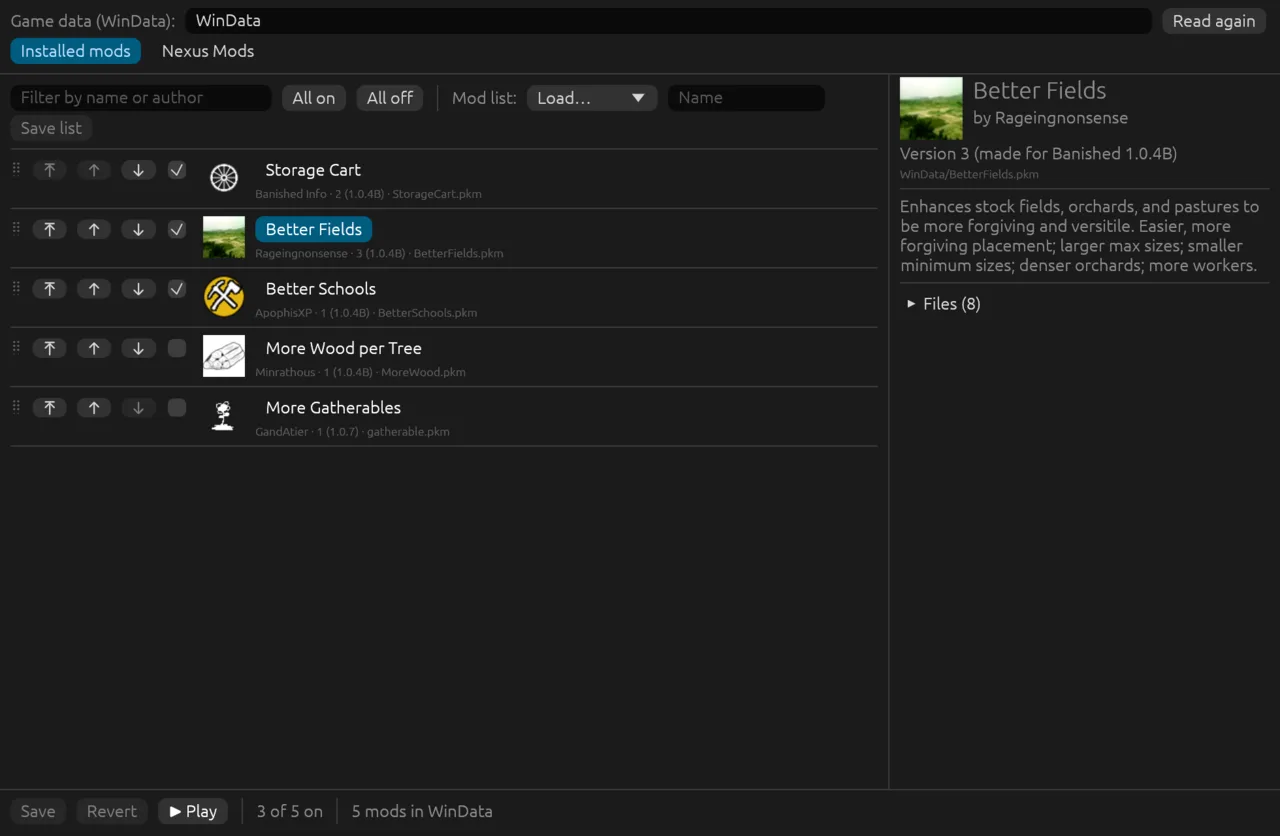
banished-mods is a small desktop program, beside the game, to choose your mods before you play. It does what the Mods menu does, plus a few things the menu cannot:
- turn mods on and off, all at once or one by one, and filter the list by name or author;
- change the order: drag a mod, or use ⤒ (to the top), ↑ and ↓. The first mod in the list wins when two mods change the same file, and the list marks such conflicts;
- see a mod's details: its description, the mods it shares files with, and its files;
- keep mod lists: save the mods that are on, and their order, under a name, and load the list again later;
- search and install mods from Nexus Mods (the same key as below; you can also paste the key in the program, and it is saved in the settings file);
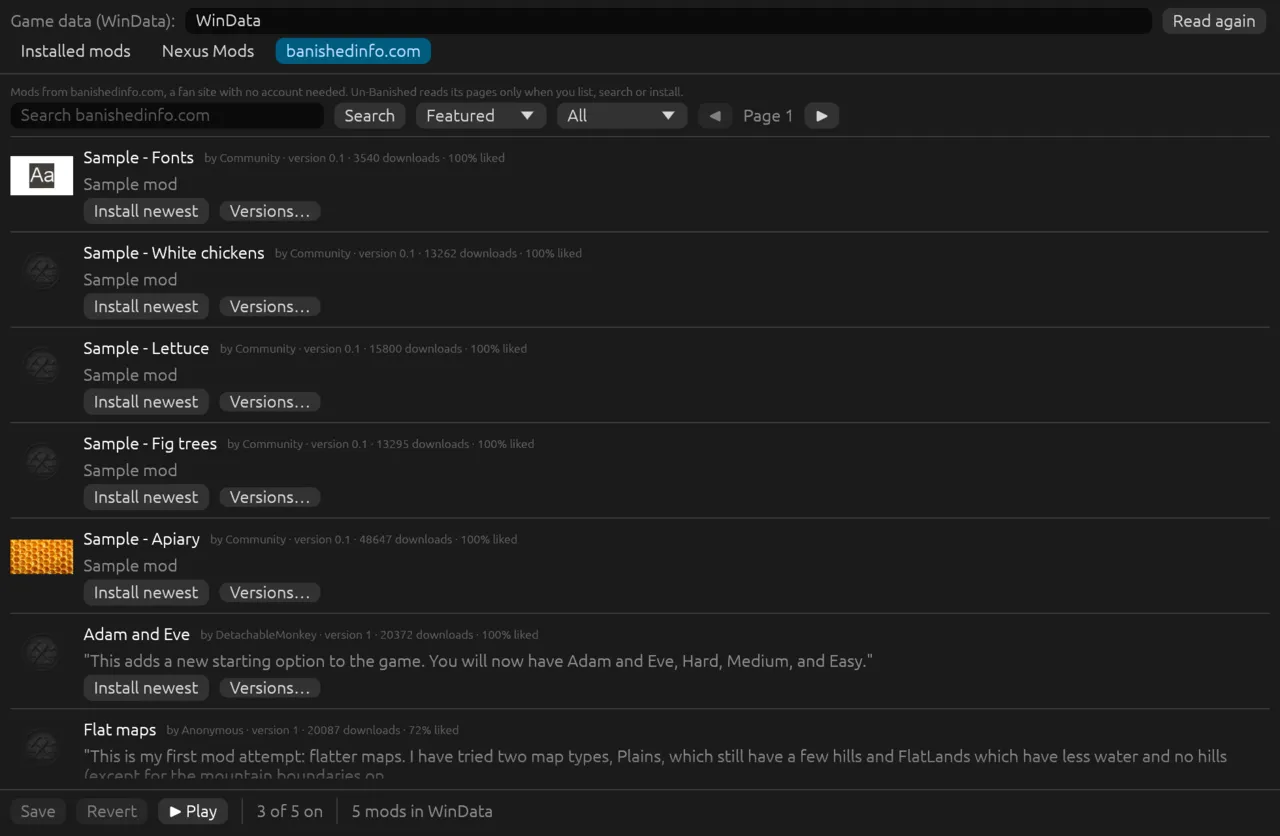
- list, search and install mods from banishedinfo.com, with no account;
- Play: save, then start Un-Banished with the same game data.
Start it from the repository:
cargo run --release -p banished-modmanager -- path/to/WinDataWithout a folder it uses WinData beside the program, then the folder you used last. Save writes the same settings the game's Mods menu writes, so the game uses them when it starts. Close the game before you change mods here: the game writes its settings file when it closes, and would undo the changes. Mod lists are text files in Documents/Banished/ModLists.
It has three tabs: Installed mods (your mods, their order and the mod lists), Nexus Mods and banishedinfo.com (each site's mods, with previews; Install puts a mod in WinData).
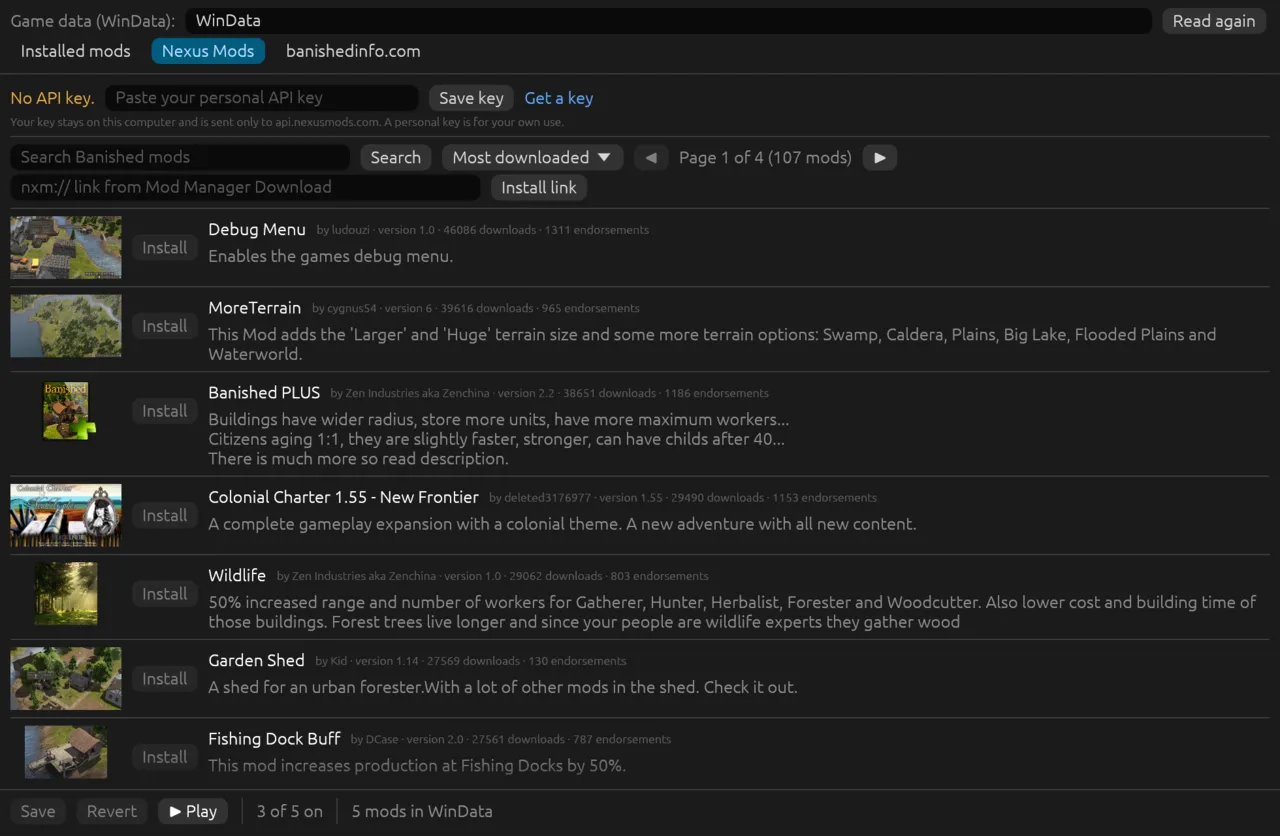
Mods from Nexus Mods
Banished's Steam version has a Browse tab in the Mods menu, for the Steam Workshop. Un-Banished has a Browse tab for each mod site instead: Browse Nexus Mods and, on the desktop, Browse banishedinfo.com. Both are shown by default. To hide one, add ModBrowseNexus=false or ModBrowseBanishedInfo=false to the settings file.
To reach them: on the main menu (or in the pause menu during a game), press Mods, then the tab at the top of the window. Each tab shows the site's most popular mods as tiles with a preview; type in the box and press the magnifying glass to search, choose an order in the list, and turn the pages with the arrows. + on a tile installs that mod.
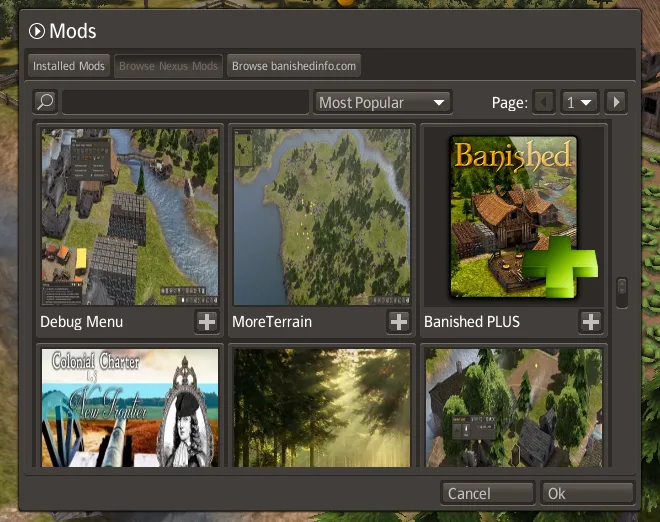
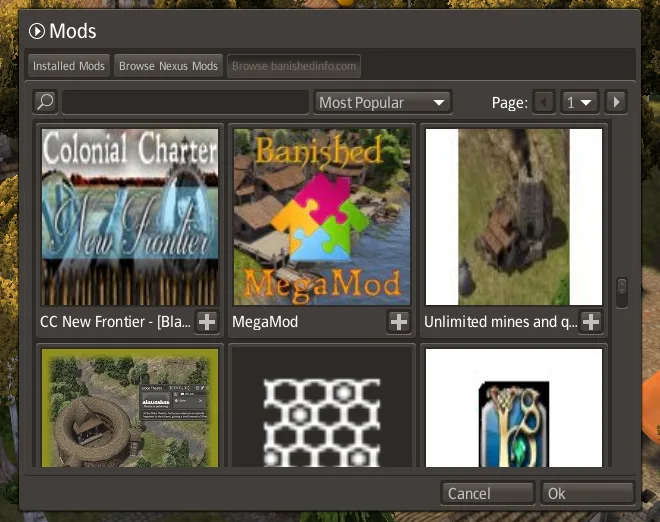
You can search and look at Nexus Mods without an account. To install from it, give Un-Banished your own Nexus Mods API key:
- Sign in on nexusmods.com. Open your account settings, then API Keys, and copy your personal API key. Treat it like a password: do not share it.
- Give the key to Un-Banished in one of these ways:
- add a line
NexusApiKey=YOUR_KEYto the settings file; - or, on the desktop, set the environment variable
BANISHED_NEXUS_API_KEY. It wins over the settings file; - or, in the browser, open the developer console on the game page and run
localStorage.setItem('banished-wasm.settings', (localStorage.getItem('banished-wasm.settings') || '') + '\nNexusApiKey=YOUR_KEY'), then reload the page.
- add a line
- Open Mods and choose Browse Nexus Mods. Search by name, or sort by Most Popular (most downloads), Most Recent (recently updated) or Subscribed (the mods you installed from Nexus Mods).
- Press + on a mod to install it:
- With a Premium account, Un-Banished downloads the mod's main file and installs it.
- Without Premium, Nexus Mods only allows downloads from its website. Un-Banished opens the mod's files page. Press Mod Manager Download there and copy the
nxm://link that your browser offers to open. Paste the link into the search box in the Browse tab and press the search button. Un-Banished installs that file.
- When the download is done, press the reload button that appears ("Mod updates are ready"), or open the game again later. Then turn the new mod on in Installed Mods.
Good to know:
- Un-Banished installs the
.pkmfiles from.zipdownloads, and plain.pkmfiles. Some mods come as.7zor.rarfiles. For those, download the file from the website, unpack it, and put the.pkmfile inWinDatayourself. - The previews of the mods (PNG, JPEG or WebP pictures) show on the desktop. The browser version shows the list without previews.
- The key stays on your computer, in the settings file or in the browser. Un-Banished sends it only to
api.nexusmods.com, and only when you search, sign in or install. - Un-Banished is not yet a registered Nexus Mods application. Until it is, a personal key is for your own use, as the Nexus Mods rules say.
The same works from the command line, with the same key:
cargo run --release -p banished-cli -- nexus search terraincargo run --release -p banished-cli -- nexus install 19 --to path/to/WinDatanexus whoami shows the account the key belongs to, nexus files MOD_ID lists a mod's files, and nexus install 'nxm://…' installs from a Mod Manager Download link.
Mods from banishedinfo.com (desktop)
banishedinfo.com is a fan site with many Banished mods. It needs no account. Un-Banished can list, search and install its mods on the desktop. The browser version cannot, because the site does not allow other web pages to read it.
- Mod manager: open the banishedinfo.com tab. Choose an order (Featured, Most downloaded, Popular today, Newest) and a section, or search. Install newest installs the newest version; Versions… lists the others.
- Game: open Mods and choose Browse banishedinfo.com. Most Popular is the most downloaded, Most Recent the newest, and + installs the newest version.
- Command line:
cargo run --release -p banished-cli -- banishedinfo list --sort downloadscargo run --release -p banished-cli -- banishedinfo install 34 --to path/to/WinDataUn-Banished reads the site only when you list, search or install, and it names itself in each request. As for Nexus Mods, it installs .zip and .pkm downloads; unpack .7z and .rar files yourself.