The menus, pixel for pixel
2026-10-24, the front end's session.
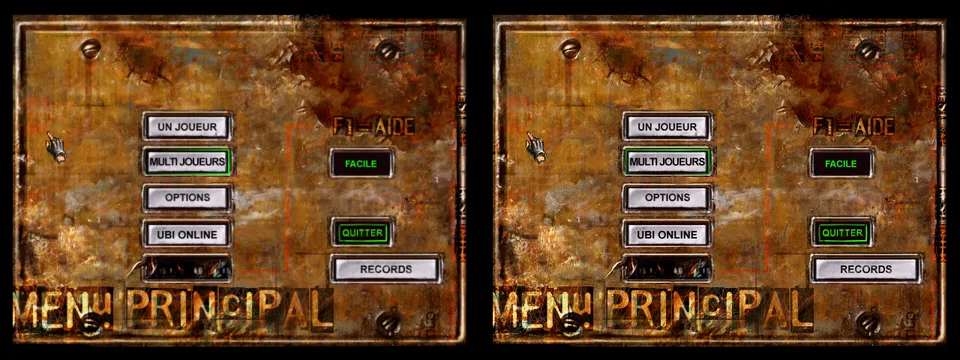
Left, pod-ui draws the main menu from the player's files. Right, the original in the emulated PC after the same key press.
POD's menus are not code. A file on the disc, BETAMNU.BIN, holds 33 menus and 503 items, each with a box on the 640 × 480 screen, a type, a state, pictures for each state, and the items that the four arrow keys lead to. One engine in WINPOD.EXE draws and drives them all. Each menu can add a function of its own to run when it opens, and each item an action. So the work came in two parts: the engine first, then the screens one by one.
The engine
The game reads the keyboard and the mouse as twelve buttons. A button counts as pressed from the moment it goes down until the menu code reads it once. After that it does not count again until it has been let go. Pressing Enter or the mouse button on an item shows the item's "pressed" picture; letting go uses it. The mouse only uses the item if it is still inside.
The arrows follow each item's neighbours. A neighbour of 999 means "go back to the item selected before", and the code adds small corrections for three menus, different for each direction. We found that from a capture: Left from "Quitter" goes to "Options", not to the item before.
The selection outline is animated. Its colour runs round the box, one step a pixel, and bounces between two colours. Each menu nudges the box for some of its items. Those nudges sit in a jump table that the decompiler merged into nonsense. So instead of reading them, we ran the original function under an emulator for each of the 503 items and wrote down what it passed on.
Checked against the original
A separate agent drove the original in the emulated PC through every screen it could reach. It ran its own copy of the game on a second display, so as not to fight the other sessions for the keyboard. It saved each frame with the exact keys that led to it. The test replays those keys into pod-ui, draws the screen and compares every pixel.
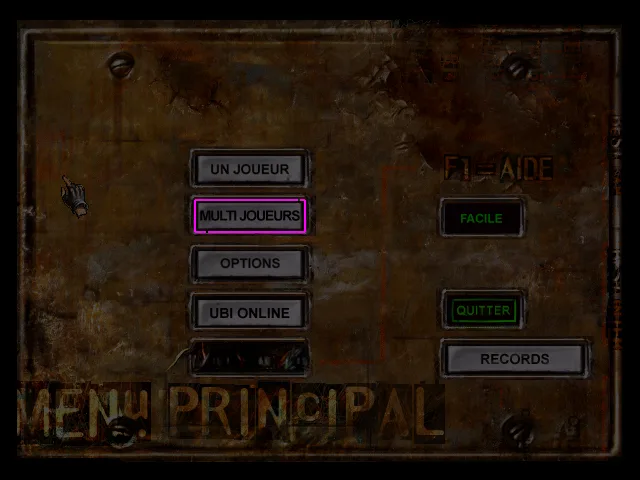
The difference between the two pictures above. All that differs is the outline, which animates; the test accepts any colour of its own gradient there.
Three things in the captures looked wrong at first and turned out to be the game:
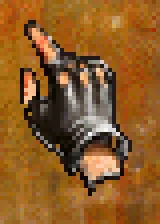
- The pointer is the game's. The hand is not the Windows cursor. The cursor resource in the executable is fully transparent. The game draws the hand itself as the character
#of one of its menu fonts, 40 pixels below the mouse. The test finds it in every capture, which also proves the font drawing and its colours. - The help shows only for a short F1. F1 shows the help until a key is held, and F1 itself counts. If F1 is still down when the game first checks, the help closes at once. Some captures show the help, some don't.
- A key can be lost. On the records screen, the first "Suivant" did nothing in the original, and every page after it was one behind. A key tap shorter than a frame can fall between two reads of the keyboard. The test records that capture's steps as the game saw them.
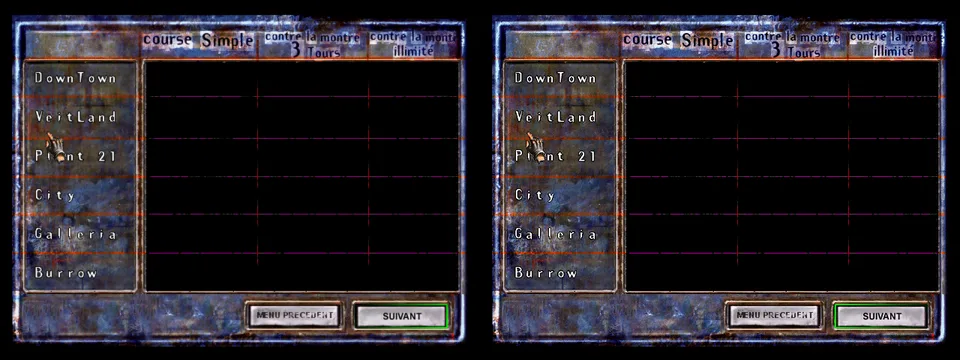
The records screen pages through the circuits six at a time. Its grid is empty in both: the emulated PC's install has no Data\Records folder, and the original shows no times then either.
Forty-six captures now match: the main menu, the quit confirmation, the help and all the records pages. The details are in the front end.
Later: from the menus to a race
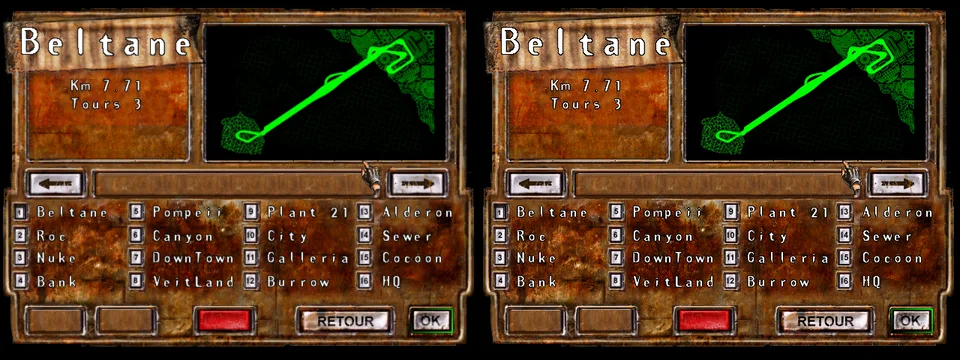
The afternoon followed the single race through the menus. "Un joueur", then "Course simple", then a circuit, then a car. Each of those screens runs functions of its own. The track screen alone has a 2,775-byte function that lays it out, and a drawing function for its title, its length and its laps. The length is in the text tables' unit: Beltane's 7,717 metres over 1,000, printed and cut after two places, "Km 7.71". The fonts have no colon, so the "Km: " the game writes shows as "Km ".
The car screen shows the car's picture, its five garage figures from the car's own file, and the player's name. Its starting car comes from Ubi.ini, so the front end now takes the host's Ubi.ini values. Where the code was unclear we read the running game's menu tree from its memory: the car picture's item is "drawn, not selectable", which the file does not say.
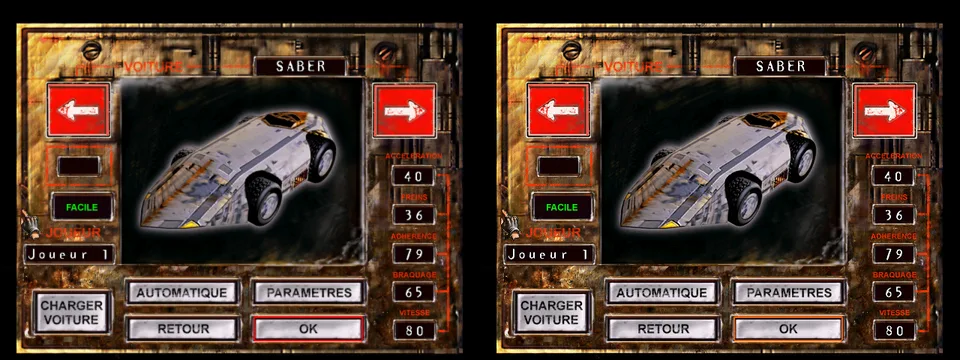
The car screen's OK button starts the race, and the front end hands the game app a StartRace. Esc in a race opens the pause menu, with its "are you sure?" box. The game app now runs a race from these menus. In all, 97 captures of the original match.
Not everything could be checked. Down from the car screen's right arrow stays on it in the original, which the menu's data does not explain. The race's end screens draw 3D scenes and wait for the renderer. The options screen's own function is the next big piece.
Next
The other screens, each with its own functions: options, the race mode, the track and car choice with the garage settings, the pause menu, the race ends and the results. Then the files they write (Ubi.ini, the best times, the car set-ups), byte for byte with the original's, and the menu sounds with the sound session.