Replacement 3D-card libraries
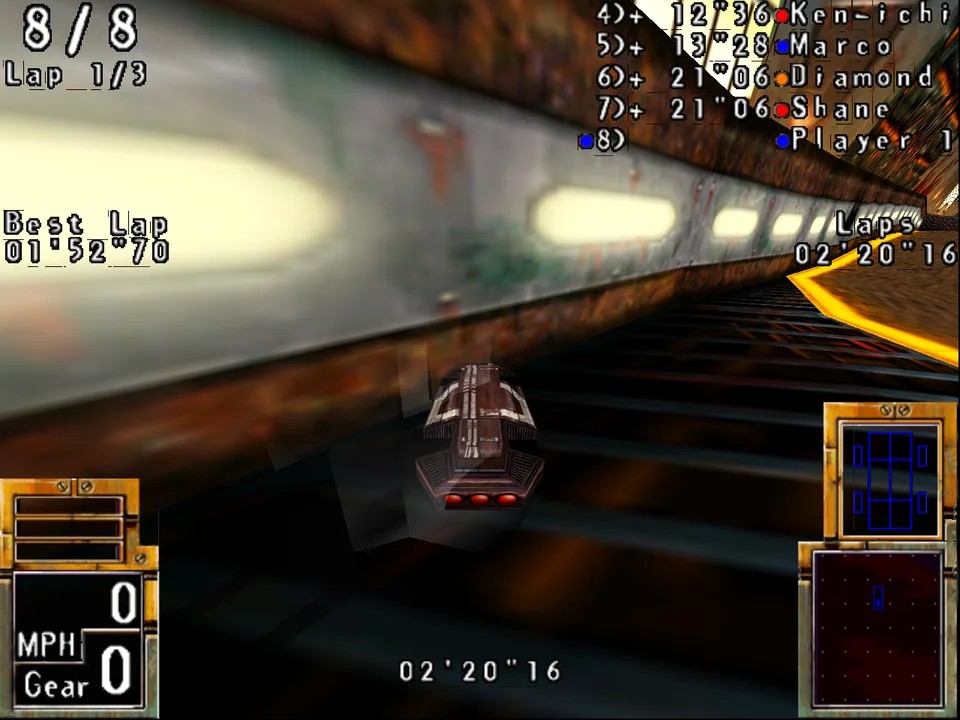
POD Gold's 3dfx build, unchanged, in a race at 1280 × 960. GameFrame's glide2x.dll draws it with OpenGL. The original card drew 640 × 480.
GameFrame's wrappers/ folder holds stand-in DLLs for the 3D-card libraries that late-1990s Windows games called. Each one has the file name and the exports of the original library. The game's EXE loads it in place of the card's driver and runs unchanged. The DLL draws the picture on a modern machine, at a size you choose. No 3D card from the 1990s is needed.
The libraries are written in Rust and built for 32-bit Windows. They have been tested with one game so far, POD: Planet of Death. They implement only the calls POD makes.
Why a game had one build per card
In 1997 each maker of 3D cards had its own programming interface. 3dfx had Glide. ATI had ATI3DCIF for the Rage. S3 had the S3D Toolkit for the ViRGE. PowerVR had SGL. Microsoft's Direct3D was one more choice. So a studio often shipped one EXE per card, each linked to that card's library. POD's first disc, in 1997, holds five builds: software, MMX, 3dfx, ATI and S3. POD Gold adds a Direct3D build and a PowerVR build.
Today none of those libraries exists on a new system. The cards are rare. A build made for one of them stops at its first call, or before it starts. The software build often still runs, but it draws at 640 × 480 or less. The card builds usually look better: filtered textures, fog, transparency and light effects. The page The card makers' 3D APIs shows how to read each API in a game's code.
What a stand-in DLL does
A stand-in DLL exports the same functions as the original, under the same names and calling conventions. When the game calls one, the stand-in does what the card would have done, with today's graphics libraries. How much it can improve the picture depends on the API.
- The game sends the whole scene. Glide and SGL receive every triangle, texture and state of the 3D picture. The stand-in can draw all of it again with OpenGL at any resolution. The result is sharp at 1280 × 960 or larger.
- The game draws most of the picture itself. POD's ATI and S3 builds draw the textured scene in software, into a DirectDraw surface at 640 × 480. The chip only adds a few faces, such as the cars' shadows and the light beams. The stand-in draws those faces in software as well.
ddraw.dllthen scales the finished frame up. The scaled frame has no more detail than the original. Its edges stay clean.
Each library exports every call of the original, so any game that uses the library loads. The calls not written yet are stubs. A stub logs its call with its arguments and returns a failure value. When the game exits, the library lists every stub and every unhandled mode the game met, with a count. The log of a new game's first run then lists what to write next (Reading the logs). The aim is a full replacement for each library.
The libraries
| DLL | Stands in for | What it draws | State | Known gaps |
|---|---|---|---|---|
glide2x.dll | 3dfx Glide 2.x (glide.dll, glide2x.dll) | The whole scene with OpenGL, at any size. The Voodoo's colour combiners, alpha test, chroma key and table fog are one fragment shader. The W buffer is OpenGL's depth test. Mipmaps, NCC and multibase textures, the gu texture manager and 3DF files | All 156 calls (Glide 2.43 and 2.1.1). POD's 3dfx builds (first edition and Gold) race at 1280 × 960 | Only TMU 0 draws, so no detail textures. No antialiased edges or dither. GR_BLEND_PREFOG_COLOR is taken as zero |
sgl.dll | PowerVR PCX1 and PCX2, SGL's scene graph and its immediate mode | It keeps the scene graph the game builds, or takes the faces it sends each frame (sgltri_*), and draws them with OpenGL. The 2D picture goes on top through ddraw.dll or SGL's own 2D callback | 61 of 134 calls (60 of SGL's 133, and one for ddraw.dll). POD Gold's PowerVR build races at 1280 × 960. The immediate mode is tested only with our own program | Scene-graph shadow volumes and convex objects other than light volumes are skipped |
ati3dcif.dll | ATI 3D Rage (ATI3DCIF) | Solid, flat and Gouraud triangles and quads, blended by source alpha, in software into the game's DirectDraw surface | 6 of 17 calls. POD's ATI build races with the frame scaled | No textures, lines, rectangles, points, Z buffer or fog. Whether the Rage rounded edges the same way is unknown |
s3dtkw.dll | S3 ViRGE (S3D Toolkit) | Gouraud lists, strips and fans, blended by source alpha, in software into a 15-bit or 8-bit surface | All 6 calls, and 3 slots of the function table. POD's S3 build races with the frame scaled | Textured faces are drawn Gouraud. Fog is logged and not drawn |
ddraw.dll | DirectDraw 1 to 3 | Every surface in memory and every mode granted. Each flip shows the frame in a window, scaled | 2 of 9 calls, and the methods of DirectDraw 1 to 3 that POD calls. Used by POD's ATI, S3 and PowerVR builds. Made for its software and MMX builds too (not confirmed with them) | No Direct3D. DDRAW_SYSTEM=1 hands DirectDraw to the system's own library for a game that needs it. Methods POD does not call return DDERR_UNSUPPORTED |
94DLL32.dll (maxi94) | Guillemot Maxi Sound 64 (Dream SAM9407), the sound card library | No picture. The card's wave streams are Wine's wave outputs, and the mixer's wave and CD lines are answered for, so the game's sound plays | 6 exports by ordinal. POD Gold's PODMAX64 races with its sound effects in the emulated PC (Wine on Linux, recorded) | Front and rear mixed into two speakers. Sample banks, the chip's voices and its effects are not exported. Sound-card APIs has the other cards |
The Maxi Sound row is a Windows library bridge. DOS chip and card models need register timing, DMA, interrupts or MIDI event handling. The PC audio coverage map tracks those layers and the engines that can be reused.
The libraries share three crates, and draw for the ATI and S3 chips with GameFrame's chip crates (gameframe-rage and gameframe-virge, on gameframe-raster):
shim: the shared settings, port I/O as Windows 95 allowed it, patches to the game's code in memory, and the log with its stubs.scalers: whole-multiple, Scale2x and CRT-style scalers for a finished frame.pixels: RGB555 and RGB565 to 8-bit colour.
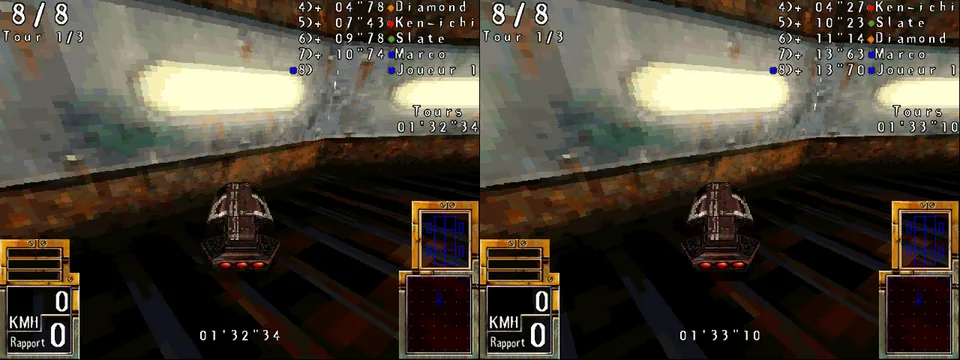
POD's ATI build (left) and S3 build (right) at the start of the same race. The game drew these frames in software. Each chip added only the cars' shadows and light beams.
Other projects
Glide is well covered already. nGlide and dgVoodoo 2 are mature and run many games. dgVoodoo also covers DirectDraw and early Direct3D. Use them when they run your game. Stand-ins for ATI3DCIF, the S3D Toolkit and PowerVR's SGL are rare. Those three libraries are the less common part of this workspace. The Glide library is here because it was built with the others. It uses the same settings, patches and logs.
Build them
You need Rust with the 32-bit Windows target, and zig 0.17 as the linker. No MinGW toolchain is needed.
rustup target add i686-pc-windows-gnu
cd wrappers && cargo build --release     # for playing
cd wrappers && cargo build               # for working on a library
The two builds go to their own folders:
| Release | Debug | |
|---|---|---|
| Folder | wrappers/target/i686-pc-windows-gnu/release/ | wrappers/target/i686-pc-windows-gnu/debug/ |
| Speed | Fully optimised, with link-time optimisation | Lightly optimised, so a game still runs |
| Symbols | Stripped | Kept, for a debugger |
| Stubs and unhandled modes | The first call of each logged | The first 50 of each logged |
| OpenGL errors | Not checked | Logged after each frame (glide2x.dll, sgl.dll) |
| Size of a DLL | About 0.4 to 1.2 MB | About 6 to 10 MB |
Both builds count every stub and unhandled mode. They list them when the game exits. The first line of each log names the build.
wrappers/.cargo/config.toml sets the target and links through GameFrame's scripts/zcc.sh. zcc takes each DLL's exports from the .def file in its crate, so each DLL exports exactly the original library's names.
To draw, glide2x.dll and sgl.dll need OpenGL. Software OpenGL works. Under Wine without a GPU, Mesa's llvmpipe draws. A 32-bit game needs 32-bit OpenGL libraries. On Debian these are libgl1:i386 libglx-mesa0:i386 libgl1-mesa-dri:i386.
Use them with a game
You need your own copy of the game. Keep its files outside GameFrame.
Find the libraries the game imports.
./gameframe run peinfo GAME.EXE --importslists them. A game that loads its card library at run time names it only in its strings (./gameframe run strings GAME.EXE | grep -i dll).Copy the DLLs beside the game's EXE, under the names the game asks for. An early Glide 2 game imports
glide.dll, so renameglide2x.dllfor it. The ATI, S3 and PowerVR libraries needddraw.dllbeside them too, because they draw into its surfaces.Tell Wine to load the copies. Wine has its own
ddraw.dll, and some prefixes have a Glide wrapper. Set an override for each DLL you copied:bashWINEDLLOVERRIDES="ddraw=n,b;sgl=n;glide=n;glide2x=n" wine GAME.EXEOn Windows the DLL beside the EXE is loaded first. Some versions of Windows take
ddraw.dllfrom the system folder anyway. AGAME.EXE.localfolder or an application manifest then makes Windows load the copy.Set the variables. Each DLL reads its settings from environment variables. Wine passes the Unix environment to the game.
Run the game, and read the logs.
The variables
Every DLL reads these shared variables through shim.
| Variable | Meaning | Default |
|---|---|---|
WRAPPER_WINDOW_CLASS | The class name of the game's main window. glide2x.dll and sgl.dll draw into it. Look for it near RegisterClassA in the game's strings, or in its CreateWindowExA call. POD's is Fenetre Pod | the first visible top-level window of the process |
WRAPPER_MARKER | The RGB565 colour that means "not drawn" in a 2D picture laid over the 3D frame, in hex (0x0821) or decimal. Choose another if the game draws this exact colour | 0x0821, almost black |
WRAPPER_PATCHES | A file of patches to the game's code, applied in memory at load | none |
WRAPPER_CALLS | A file to write every call the game makes to, one line each, with the values its pointers point to (The call log). {dll} in the name is replaced by the library's name | none |
WRAPPER_CALLS_FRAMES | Only these frames: 100-102, or 100 for frame 100 on | every frame |
Each library also reads its own variables.
| Variable | Library | Meaning | Default |
|---|---|---|---|
GLIDE_SCALE | glide | Output size as a multiple of the game's (2, 4, 1.5) | 2 |
GLIDE_SIZE | glide | Output size in pixels (1920x1440). It wins over the scale | |
GLIDE_LFB_FILTER | glide | linear smooths the game's 2D pictures when scaled | nearest |
GLIDE_SCALE_FILE | glide | A file holding a scale, read again each time the game opens the card | |
SGL_SCALE | sgl | The 3D frame's size as a multiple of the device's | the window's |
SGL_FOG | sgl | A factor on SGL's fog density | 1 |
SGL_PRESENT | sgl | 0 shows the 3D frame alone, without the game's 2D picture | 1 |
SGL_TRACE | sgl | Log the first N calls of each function, with their arguments | 0 |
SGL_SHOT_DIR, SGL_SHOT_EVERY | sgl | Save every Nth picture shown as a BMP in that folder | none, 100 |
DDRAW_SCALE | ddraw | The window as a multiple of the game's mode | 2 |
DDRAW_FILTER | ddraw | nearest, scale2x, crt or smooth | nearest |
DDRAW_PIXELS | ddraw | 555 for 5-5-5 surfaces. The S3 build needs it, since a ViRGE draws only 15-bit | 565 |
DDRAW_SYSTEM | ddraw | 1 hands DirectDraw to the system's own ddraw.dll, for a game that needs Direct3D. The patches still apply | 0 |
The log files are GLIDE_LOG, SGL_LOG, DDRAW_LOG, ATI3DCIF_LOG, S3DTK_LOG and MAXI94_LOG. Each names a file, such as C:\glide.log. Without it, the library logs to standard error.
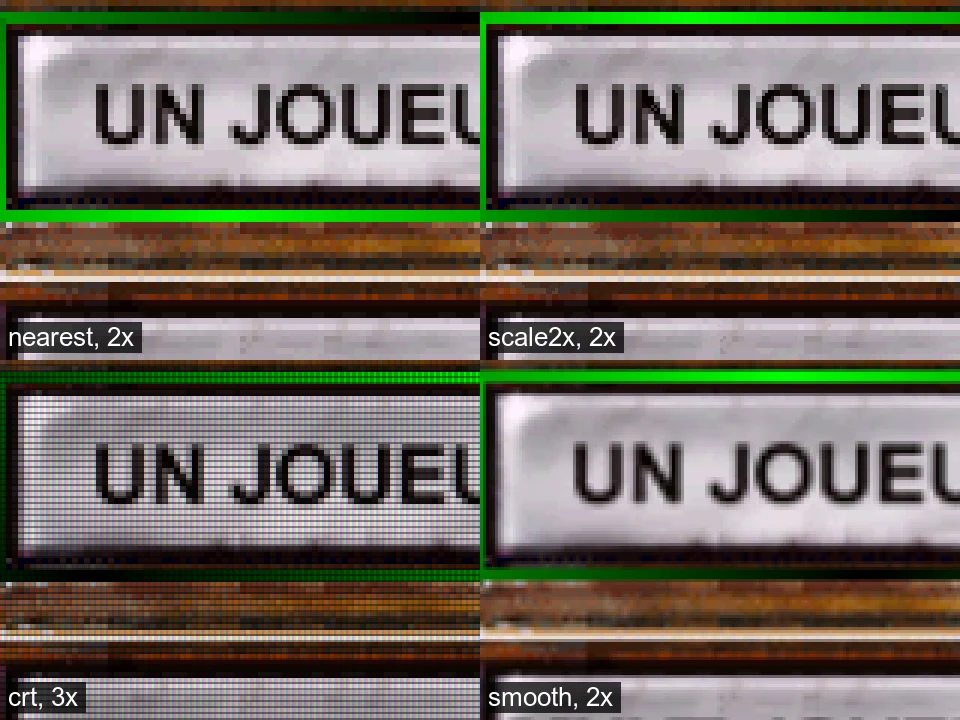
One menu button from POD's ATI build through each DDRAW_FILTER: nearest and scale2x at 2×, crt at 3×, smooth at 2×.
A patch file
Some games check for things a modern system cannot give them. POD Gold's 3dfx build reads the CPU type and stops on a CPU it does not know. It also checks for a 16-bit desktop, which Wine cannot report. A patch file changes those bytes of the game's code in memory when the DLL loads. The EXE on disk stays unchanged. Keep the patch file in the game's own repository, because it holds bytes of the game's code.
A patch file has one patch on each line. Spaces or tabs split the fields.
# stamp     build         address   old bytes       new bytes       why
0x345270ab GAME3DFX.EXE 0x486aa1 c705001122ff c70500112204 unknown CPU: kind 4 (Intel P6)| Field | Meaning |
|---|---|
| stamp | The EXE's TimeDateStamp from its PE header (./gameframe run peinfo GAME.EXE). A patch applies only to the build with this stamp |
| build | A name for the log |
| address | The virtual address in the loaded EXE, in hex or decimal |
| old, new | Hex bytes of the same length. The patch applies only when the bytes at the address are old |
| why | The rest of the line, written to the log |
Blank lines and lines that start with # are skipped. A line that does not parse stops the whole file, and the log names the line. When several DLLs in one process read the file, the first applies each patch and the others find the new bytes already in place. The parser is parse_patches in shim/src/config.rs.
Reading the logs
Every library writes the same three kinds of line:
glide: release build, GameFrame wrappers 0.1.0
glide: not implemented: guMPInit() (later calls are counted)
glide: not handled: grTexDetailControl: detail textures need a second TMU; ignored (later calls are counted)
glide: not implemented or not handled, by count: grTexDetailControl ×812, guMPInit ×1
not implementedis a call to a stub, with its arguments as 32-bit words.not handledis a mode, state or kind of object that an implemented call does not draw yet.- The last line comes when the game exits. It lists everything the game met that the library lacks, most frequent first. If it reads "every call this game made is implemented", nothing was missing.
ddraw.dll names each COM method that is a stub, such as IDirectDrawSurface::GetDC. Some libraries log more of their own. The ATI library logs the first four values of each state the game sets. The S3 library logs each call to a slot of its function table that it does not fill. SGL_TRACE=N logs the first N calls of each SGL function. The applied patches are logged with their reasons. glide2x.dll also logs frames per second, and sgl.dll pictures a second. That shows whether the output size is too large for the machine.
The call log
WRAPPER_CALLS writes every call the game makes into a library, one line each. It is the game's side of the seam between the game and its renderer (The rendering pipeline). Record it from the original, write the same lines from the port's device interface, and compare the two with tools/verify/seqdiff.py. The first line that differs names the call where the port went wrong.
WRAPPER_CALLS='Z:/tmp/calls.txt' WRAPPER_CALLS_FRAMES=100-101 wine GAME3DFX.EXE
python3 tools/verify/seqdiff.py original-calls.txt port-calls.txtgrBufferClear(0x204080, 0x0, 0xffff) frame 100
grTexDownloadMipMap(0x0, 0x100000, 0x3, {lods 0x4-0x4 aspect 0x3 format 0x1 data [256 bytes 0x1afdd9ce7ef1b725]}) frame 100
grDrawTriangle({x 40.0 y 40.0 rgb 255.0 0.0 0.0 a 255.0 oow 1.0 tmu0 s 0.0 t 0.0}, ...) frame 100
lfb_pixels(0x0, 0x0, 0x280, 0x8, [20480 bytes 0x42c5e1cf5e7b4325]) frame 100
grBufferSwap(0x1) frame 100- Each line is
name(arguments), a tab, and the frame.seqdiff.pycompares the part before the tab. - Unsigned numbers are in hex and signed numbers in decimal. Floats are printed in the shortest form that reads back as the same bits, so equal floats always print the same.
- An address differs between two runs, so a pointer is written as
nullorptr. Where the library knows what it points to, it writes the values. SGL's immediate-mode faces are written as their vertices, and the ATI and S3 primitives the same way. Texture data, palettes, NCC tables and fog tables are written as their size and a 64-bit FNV-1a hash. - Glide's vertices are written as the fields the card reads under the current state, by name.
xandyare always written andznever, since Glide 2 ignores it. The colour, alpha,ooz,oowand each TMU'ss,tandware written when the combine units, the depth buffer, fog or theGR_HINT_STWHINThint read them. A game leaves the other fields as they were: POD's race leaves old values inz,oozand TMU 1 (measured). A port's log would hold different leftovers there, and two equal frames would then differ. The rules are inglide/src/used.rs. A port that writes this log writes its vertices by the same rules. lfb_pixelsis not a Glide call. It holds the pixels the CPU wrote while the frame buffer was locked, as a rectangle and a hash. It is written when the library takes them: at the next call that draws, or at the swap.- Only the game's own calls are written. When one export calls another inside the library (
guColorCombineFunctioncallsgrColorCombine), only the outer one is written. - Stubs are written too, so the log holds every call.
- Each library counts its own frames: Glide at
grBufferSwap, SGL atsgl_renderandsgltri_render, the ATI library atATI3DCIF_RenderEnd. The S3D Toolkit has no end-of-frame call, so its lines stay at frame 0 andWRAPPER_CALLS_FRAMEScannot pick its frames.ddraw.dll,maxi94andir41do not write the log yet. - Two libraries in one process can share the file. Each line is one write in append mode, so lines stay whole.
- SGL's scene-graph calls write their pointer arguments as
ptrfor now. The arrays they point to (vertices, transforms, materials) are not written yet.
A long run makes a large file, so pick the frames to write. Without WRAPPER_CALLS each call costs one atomic load. The code is shim/src/calls.rs.
Add a game
- Find the card libraries it imports, and copy the stand-ins beside it, as above.
- Find its window class and set
WRAPPER_WINDOW_CLASS. - Run it, and read the log. The list at the end names each call and mode the game needs.
- If the game stops before its first card call, look for a hardware check: the CPU, the desktop's colour depth, the card's name or its memory. Write a patch for it, in the game's own repository.
- Add each missing call (below).
- Record what the game needed in its own project, and the generic part in the library's README.
The page Replacement libraries for a 1990s game has the method in more detail. It covers probes that log every call with its arguments, what such games assume about windows, threads and the frame buffer, and how to measure what a card was given.
Add a missing call
Every call of the original is already exported as a stub. Each library's api.tsv lists them all. tools/pe/apitable.py read the convention and argument bytes of each call from the original DLL's own code. For ATI3DCIF, which had no DLL at hand, it read them from the SDK's import library.
- Find the call in the original API. The card makers' SDK headers give its arguments and structures. The card makers' 3D APIs lists sources for each.
- Find how the game uses it. Trace the call site in the game's code. Note which arguments it passes and what it does with the result.
- Write it in the library's
apimodule, beside the calls of the same kind, with#[unsafe(no_mangle)]. Keep the original's name and calling convention:extern "system"for stdcall,extern "C"for cdecl.api.tsvsays which. - Run
python3 wrappers/stubgen.py. It removes the stub and keeps the export. It stops with an error if the call has the wrong convention.tests/run.shruns it with--check. - Test it on the host if it holds logic. The rasteriser, the scalers, the settings and SGL's scene graph are plain Rust with host tests. Put new logic there when you can.
- Mark each difference from the card with a
Deviation:comment in the code, and list it in the README.
GameFrame keeps no game material. A test for a new call uses our own code, such as sgltest.c. It never uses a game's files.
Testing
tests/run.sh builds the release and debug DLLs, runs the host tests, checks each export table against its .def file, checks that the .def files and stubs match the API tables, and builds sgltest.exe, sgltritest.exe and glidetest.exe when zig is installed. A stub's argument bytes are checked when the DLL links. The .def file names each stdcall export by its decorated name, such as grAADrawLine@8. Rust gives a function that name only when it takes exactly 8 bytes of arguments. To run the host tests alone:
cd wrappers && cargo test --release --target "$(rustc -vV | sed -n 's/^host: //p')" -p scalers -p pixels -p shim -p sgl -p glide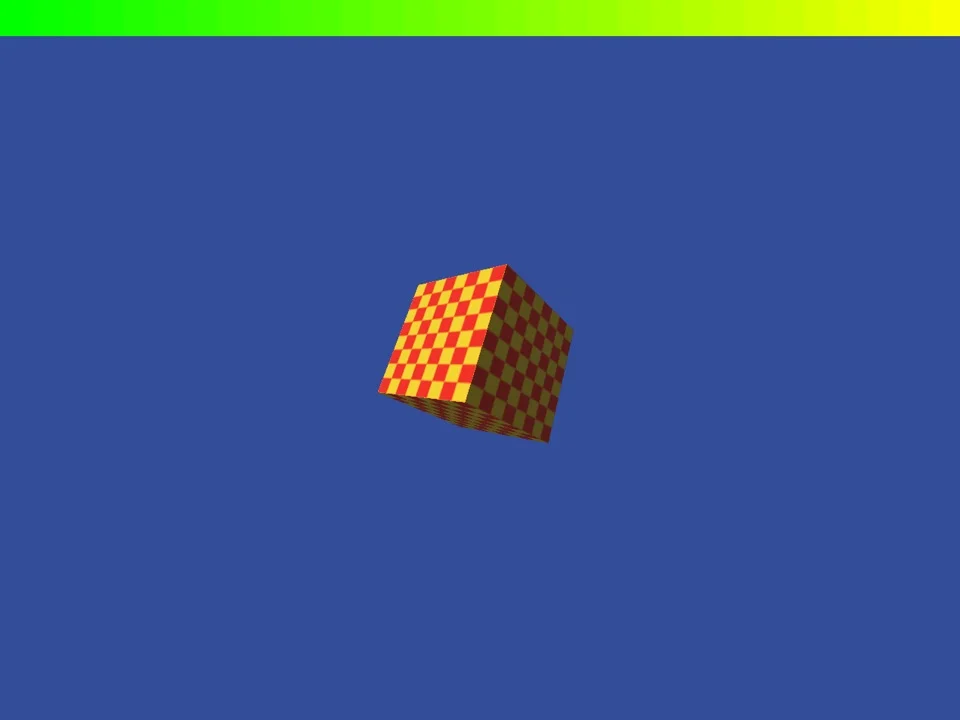
sgltest.exe through sgl.dll. The scene is our own.
wrappers/sgl/test/sgltest.c draws a known scene through sgl.dll without any game. It has a lit, textured and fogged cube, a floor, a light volume, a translucent pane and a 2D bar over the marker colour. Build it and run it beside sgl.dll:
zig cc -target x86-windows-gnu -O2 wrappers/sgl/test/sgltest.c -o sgltest.exe -luser32
WRAPPER_WINDOW_CLASS=SglTest SGL_SHOT_DIR='C:\shots' SGL_SHOT_EVERY=30 SGL_SCALE=2 wine sgltest.exe 120
sgltritest.c does the same for SGL's immediate mode (sgltri_*). It draws a fogged floor, a Gouraud triangle, a turning textured quad, a highlighted triangle and a translucent one. A 2D bar goes on top. Pass ddraw after the frame count to use sgl_use_ddraw_mode's 2D callback in place of the address callback.
wrappers/glide/test/glidetest.c draws a known scene through glide2x.dll and checks it. It reads pixels back with grLfbReadRegion and prints one line per check: culling, clipping, gu and NCC textures, the alpha test, fog, points, an LFB write, saved state, a 3DF file and the queries. Its exit code is the number of failed checks:
zig cc -target x86-windows-gnu -O2 wrappers/glide/test/glidetest.c -o glidetest.exe -luser32
WINEDLLOVERRIDES=glide2x=n GLIDE_SCALE=2 wine glidetest.exe 120
The other libraries have no such test program yet. They were checked against POD's own runs.
The worked example: POD
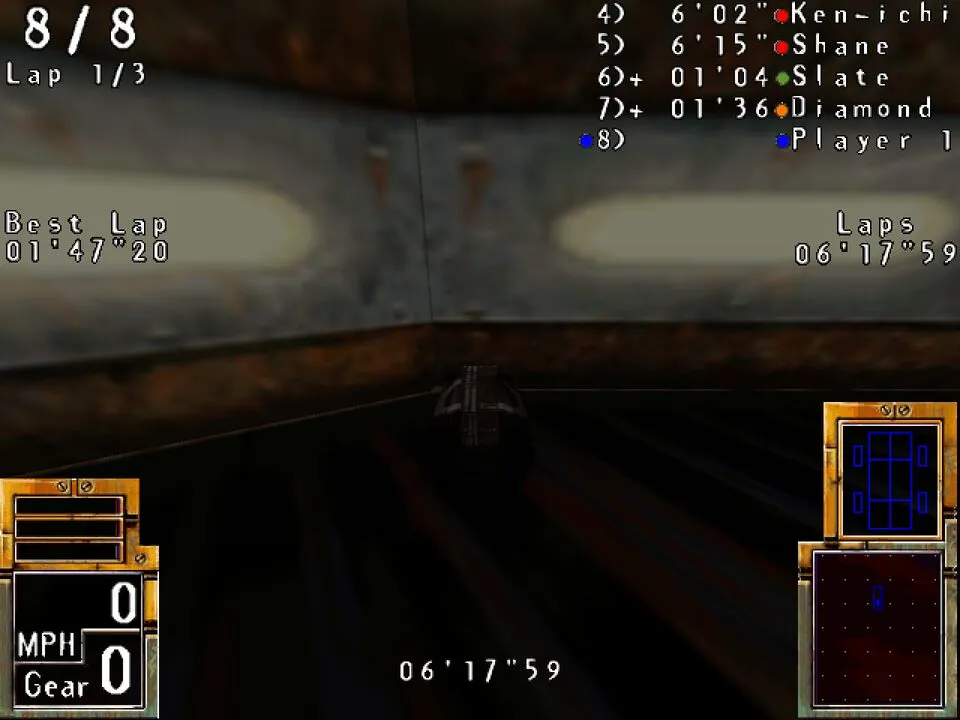
POD Gold's PowerVR build in a race, drawn by sgl.dll at 1280 × 960, with fog and shading as PowerVR's own driver does them.
The libraries were written in the POD: Planet of Death project for POD Gold 2.8 and later moved here. The POD case study has the summary. How POD uses each call of each API, with evidence, is in POD's 3D cards page. POD's diary has entries on each library:
- A Voodoo of our own: the first Glide library, and the first race at twice the original size.
- Gold on our Voodoo: the later Glide 2 calls, and the two patches POD Gold needed.
- The ATI and S3 builds: DirectDraw in memory, and why the two chips drew only the shadows.
- Sharper frames: the four filters of
ddraw.dll. - A stand-in for PowerVR's SGL, The PowerVR build races and PowerVR's own driver as the reference: the scene graph, the light volumes, and the fog and shading taken from PowerVR's driver.
The table gives the result for each of POD's builds.
| Build | Libraries | Result |
|---|---|---|
| 3dfx (first edition and Gold) | glide2x.dll | Races at 1280 × 960 |
| PowerVR (Gold) | sgl.dll, ddraw.dll | Races at 1280 × 960 |
| ATI Rage | ati3dcif.dll, ddraw.dll | Races, the frame scaled |
| S3 ViRGE | s3dtkw.dll, ddraw.dll (DDRAW_PIXELS=555) | Races, the frame scaled |
| Direct3D (Gold) | ddraw.dll with DDRAW_SYSTEM=1 | Next to run |
All of these runs were under Wine in an emulated x86 Linux PC. Under Wine on Apple silicon, POD faults in the menus with these libraries or without them (know-how entry wine-wow64-rosetta-fault). In software OpenGL a PowerVR race runs at about 3 pictures a second. Play needs a real GPU.
Limits and next steps
- One game. Each library implements the calls POD makes. It stubs the rest. A second game for each card would show how general they are. For example, Hardwar's PowerVR mode uses SGL's immediate-mode half, which is only stubs so far (GAPS.md).
- OpenGL only. The drawing goes through OpenGL. Vulkan and Metal back ends are a later step, for machines where OpenGL is slow or missing.
- No run on real Windows yet. All testing so far was under Wine. Windows 10 and 11 may load
ddraw.dllfrom the system folder, and their OpenGL drivers differ from Mesa. - No built release. You build the DLLs yourself for now. A release of built DLLs would let players use them without Rust or zig.
- No exact match with the cards. The libraries draw what the game asked for. Where a card's exact rounding or blending is not known, the README says so and the code marks it.
Code: Apache-2.0. This page: CC0-1.0.